
 Submit a find



 한국어
 日本語
 Español
 Français
 Deutsch
 简体中文
 繁體中文
 Português
 Bahasa Indonesia
 ไทย
 Italiano
 Tiếng Việt
 Türkçe
 Polski
 Русский
 Back to the lab
JEVLAB / FIELD GUIDE
A practical guide to Jev
Understand the model, try your first decision, then discover what people are building.
Choose your starting point
One idea, one working decision, then a measured workflow. Start where you are.
Understand Jev

See what it takes in, what comes out, and when a language model is still the right tool.
02Build one small decision
Shape a request in the Decision Lab, then take it to your own server or the official Playground.
03Make it dependable
Explore uncertainty, common failure modes and a short checklist for your first evaluation.
Read, experiment and keep your checklist here without an account.
01 / Small decisions, inside your software
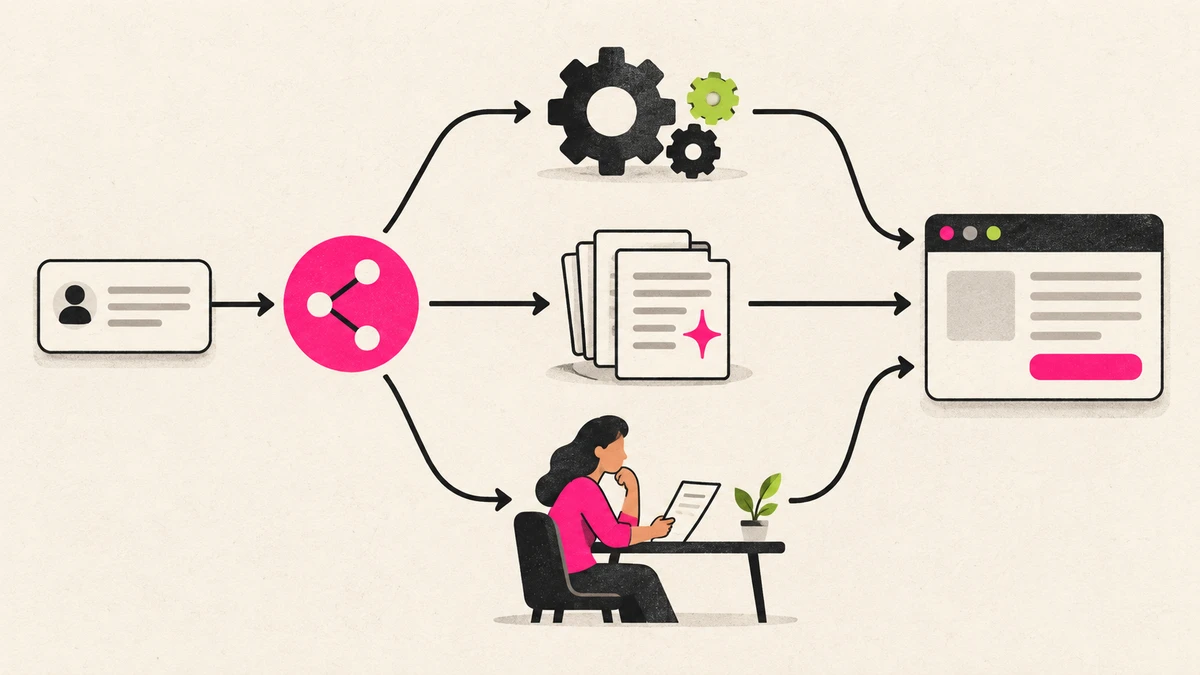
Think of a support inbox. Your software knows the available teams, but needs to understand a customer’s message. Jev can select a team, assess urgency, or score the message against a scale you define. Your code then applies the routing rules. The model supplies a judgment; it does not execute the action.
Jev currently accepts text, including JSON and arrays of text. It does not see images, listen to audio, generate prose, or write code. An image-based demo first needs another component to turn the image into usable text or structured observations.


02 / Why build a different kind of model?
TypeSafe’s goal is to make narrow AI judgments behave like useful components in ordinary software. Its RLCD training approach targets decisions and calibrated uncertainty. Giving up free-form text generation makes a different interface possible: the application defines the answer space and combines the results.
A valid output shape is not proof that the answer is true. Evaluate errors on your own examples and keep consequential actions behind explicit application rules.
03 / Three ways to ask

- Choice
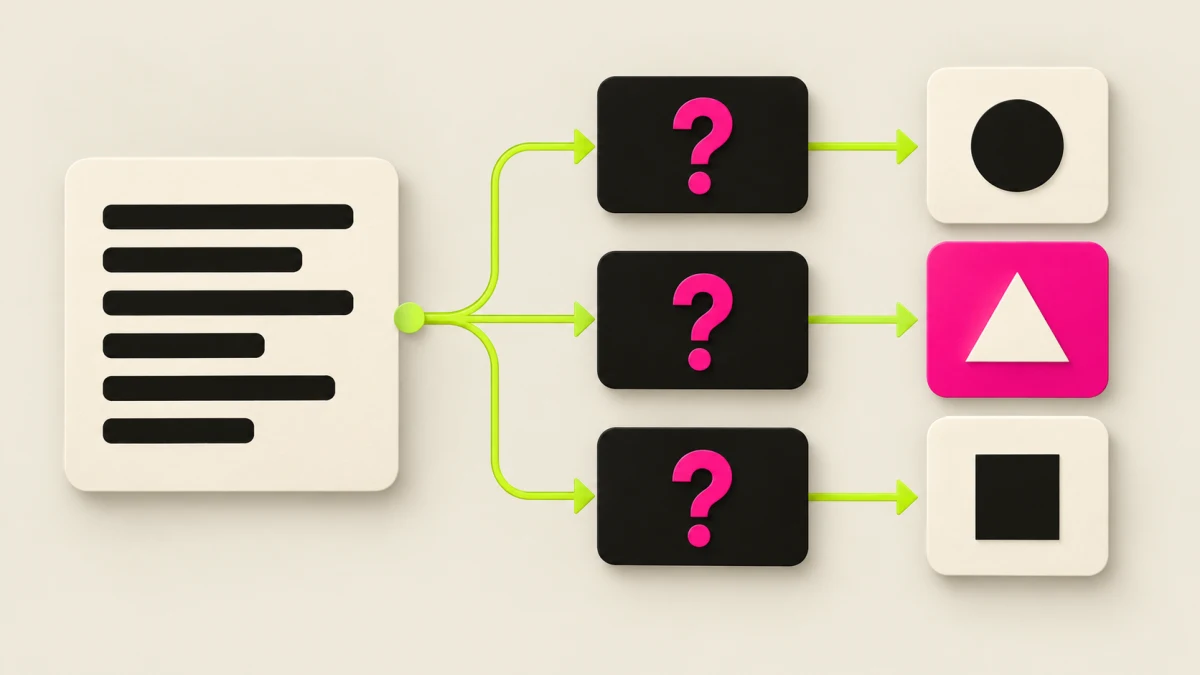
- Choose one option from a set you provide, such as billing, technical support, or sales. The response includes the selected option and a distribution over the options.
- Score
- Place an observation on ordered, descriptive levels, such as calm, frustrated, and very frustrated. The returned score can sit between levels; it is not a general probability of correctness.
- Noul
- Ask whether a statement holds. Noul returns the probability of yes, from 0 to 1. Ask separate questions for labels that can be true at the same time.
Read uncertainty before you act
Choice and Score return probabilities and a separate confidence value derived from their distribution. The winning option’s probability and confidence are different numbers. Noul has a probability and no separate confidence field.
Teaching example · fixed confidence 0.72
 Ask for review or more context
Move the threshold to see a code branch change. This is a fixed illustration, not a Jev prediction or a recommended threshold. Test boundaries against the cost of mistakes; passing the threshold never grants permission to act.
04 / Jev and an LLM do different jobs
These are interface differences, not a claim that one model wins every task. LLM capabilities and latency vary by model, settings, tools, and input.
| Dimension | Jev | Generative LLM |
|---|---|---|
| Output | Defined choices, scores, probabilities | Generated text or code; many models also support structured output |
| A useful fit | Routing, selection, ranking signals, bounded checks | Writing, explanation, open-ended reasoning and generation |
| Input | Text or structured text state | Text; some models also accept images, audio or video |
| Who controls the action? | Your application combines judgments and executes rules | Your application must still validate outputs and tool actions |
| Uncertainty | Probability outputs designed for calibrated decisions; still fallible | A written confidence claim needs task-specific validation |
05 / Fast enough to sit in the interaction
TypeSafe’s September 15 launch post reports this range for its decision-shaped calls. It also notes that its published evaluations were generally run from the US West Coast. This is a vendor-reported snapshot, not a JEVLAB benchmark or a latency guarantee for your location.
Ask independent questions about the same state together. Jev evaluates them in parallel. This can avoid a chain of separate calls, but more questions still add input tokens and must fit the request limits. A later call is needed when a question depends on an earlier answer.
TypeSafe’s workflow evaluations compare whole workflows. Their reference labels are model-generated consensus labels, not a human ground truth set. Read the method and test your own cases before adopting a speed or accuracy claim.
06 / Make your first call
- Explore the request examples in our Decision Lab without signing in. To run a real model call, open TypeSafe’s Playground, sign in there and start with one short state and a clear question.
- Create an API key in the TypeSafe console. Keep it on your server or in a local environment variable, never in browser code or a public repository.
- Call the API directly or use the official JavaScript or Python SDK. The example below is an illustrative request; it does not make a request from this page.
- Collect representative examples, log the model version, measure errors and end-to-end latency, and choose when to act or ask for review. A probability or confidence score is not authorization.
POST https://api.typesafe.ai/v1/systemone
Authorization: Bearer $TYPESAFE_API_KEY
Content-Type: application/json

{
  "state": {
    "message": "I cannot sign in to my account."
  },
  "model": "jev-latest",
  "questions": {
    "team": {
      "type": "choice",
      "instructions": "Which team should handle this message?",
      "criteria": {
        "billing": "Payments or invoices",
        "support": "Account access or technical problems",
        "sales": "Pricing or product questions"
      }
    }
  }
}Decision Lab / Try the shape of a call
Choose a task and edit its text. The request changes immediately in your browser. These are original teaching templates, not live model results; no API key or sign-in is needed here.
Choice picks one named option. Describe each option clearly and include an escape route for input that does not fit. Your code decides what happens next.
Score uses ordered, descriptive levels. Its numeric result describes a judgment on that scale, not an exact count or a universal quality score.
Noul returns the probability of one condition being true. Define the condition fully in the instructions; a question key is only a label for your code.
The editable examples use English. You can replace the state with your own language; test accuracy on that language before relying on the result.
{
  "model": "jev-latest",
  "state": "I need help signing in after changing my phone.",
  "questions": {
    "team": {
      "type": "choice",
      "instructions": "Choose the team that can best help with the message in state. Use other when none fits.",
      "criteria": {
        "accounts": "Sign-in or account access",
        "billing": "Charges, invoices or subscriptions",
        "other": "Another issue, or not enough information"
      }
    }
  }
}
Next: send this body to POST /v1/systemone with your server-side API key. TypeSafe’s own console and API require a provider account. JEVLAB does not collect your key or send this example to a model.
Before you ship / Four things to get right
Type-safe output can still be the wrong answer. Build around the model’s documented limits, not around a perfect demo.
Small, explicit state
Send the relevant facts with clear field names. Turn images or audio into useful text first. Long, unrelated context and indirect references can reduce accuracy.
Questions that say what they mean
Write the full condition in instructions, not just in a question key. Avoid overlapping choices and contradictory criteria. Separate independent judgments; combine them in code.
Keep exact work in code
Use code for arithmetic, counting, date comparisons and permission checks. Use a generative model when you need new prose or code. Jev chooses or judges within the space you define.
Measure your own workflow
Use labeled examples, including ambiguous, multilingual and adversarial cases. Track wrong decisions, fallback rate, end-to-end latency and input usage. Log the returned model version; aliases can change.
Read the documented Jev 1.13 failure modes
Your first-build checklist
Checked steps stay only in this browser. No account, synchronization or completion tracking is sent to JEVLAB.
Recipes to grow into
- Intent routing
Choose among handlers, with an explicit fallback for requests outside their scope.
- Parallel questions
Ask independent questions about the same state together; handle dependencies in a later step.
- Composite scoring
Judge separate dimensions, then combine their values with weights you control in code.
- Confidence routing
Choose whether to proceed, collect more context or ask for review using tested thresholds.
07 / Your starting shelf
Keep these references close. Official documentation defines the API; community projects show possible applications, not guarantees.
 Quick start
- Introducing System One Models & Jev
- The TypeSafe manifesto
- Understanding confidence
- Models, current prices & limits
- Workflow evaluations & methodology
From the JEVLAB collection
- typesafe-sdk-cpppewriebontal
- go-jevmattn
- jev-cookbookparamjeetn
- typesafe-sdk-rustzchee
- system-oneasynq-io
- jev-netbrightshore





Explore the source libraries
- Made with Jev
Explanations and practical builds, with a guide to splitting generation, decisions and execution.
- Jevable
A visual stream of community demonstrations. Watch the original and inspect what each demo actually sends to Jev.
- Awesome Jev
A broad index that separates official resources, community SDKs and project categories. Check the original repository before adopting a tool.
These are independent discovery sources. Inclusion in a directory is not an audit or an endorsement by JEVLAB.
Questions worth asking
Is Jev a chatbot or a coding agent?
Jev is a decision model that software can call. A coding agent can help you build that software, and a language model can write text inside it. These are different roles.
Can Jev see a video or a screenshot?
The documented API currently takes text. A demo may use a separate vision model, transcription, DOM or game state to prepare the text Jev evaluates. Inspect that whole pipeline when comparing speed and cost.
Can I start without an account?
Everything in this JEVLAB guide and Decision Lab is available without sign-in. Real API calls and the official TypeSafe Playground require TypeSafe access and a key where applicable.
Does a fast benchmark mean my application will be fast?
Measure from input to the result your user sees. Networking, preprocessing, tool execution, retries and fallbacks also take time. Published vendor evaluations and creator demos describe their own setups.
08 / How to use JEVLAB
JEVLAB is an independent, source-linked field guide. It is not operated by or affiliated with TypeSafe AI. The landing page is for discovering work; this guide is for understanding it.
Explore the lab opens the collection. Search by project, creator or topic and narrow results with use-case and platform filters. The desktop sidebar scrolls independently. Popular shuffles matching resources on a fresh visit; Latest shows newly added resources first. In both modes, individual Supporter cards are drawn from projects within their 90-day period with a positive confirmed net total, in proportion to that total. Projects with $0 are not selected. A project is not drawn again until all eligible projects have had one turn, then a new round begins.
GitHub and website cards lead with their preview, with distinct text layouts underneath. Videos keep their wider presentation. When a source exposes a supported public metric, an eye means views and a star means GitHub stars captured at collection time; neither is a JEVLAB click count. Missing metrics are left blank.
Open a card for the source notes, original link and save control. Translations are reading aids; check the creator’s original for context, current instructions and performance claims.
Supporters share one worldwide board. The strip shows the top ten and the sidebar shows the top five. Individual cards between resources are drawn from every project within its 90-day period with positive confirmed net support, including projects outside the top ten and $1 contributors, with chances proportional to the current period’s confirmed net support and no repeats within a round. Open the Hall of Supporters to see each project’s current 90-day total. Expired projects remain at the bottom with $0 and no recognition placements or selection chances; new confirmed support for the same URL starts a new period and a new total from zero. To contribute, look up the project URL, copy its message and use Continue with Buy Me a Coffee; paste the message into checkout before paying. Support determines board positions and the chances of an earlier feed appearance, not editorial quality. Impressions are not guaranteed.
Live estimates recently active visitors. Total Visits sums daily visits across languages; it is not a lifetime unique-person count. Public visit and outbound totals include owner-provided starting values plus subsequent measured events.
Sources checked September 22, 2026. Illustrations are JEVLAB explanatory artwork. Translations are AI-assisted; official sources remain authoritative for current API details.